
Download Payvalida APP Móvil APK – mobile payment, secure transaction, Android app, digital wallet
Overview
The Payvalida app is a mobile application developed by Validda SAS, designed to simplify the process of making digital payments through Android devices. Targeted at users seeking a straightforward method to pay for products and services online, the app eliminates the need for in-person visits to payment centers. It enables transactions from anywhere in the world, supporting users who may lack advanced technical knowledge of mobile devices or the internet.
The core purpose of the software is to provide a fast, accessible, and secure way to complete payments with minimal user effort. Real-world usage scenarios include paying utility bills, mobile top-ups, subscription services, and online purchases—all from a smartphone. The app is positioned as a tool for everyday convenience, particularly beneficial for individuals in regions with limited access to traditional banking infrastructure or for those who prefer digital self-service.
The developer did not provide additional details about the company’s background beyond its name. The app is available at no cost, making it accessible to a broad audience. It is intended for general consumers and non-technical users who prioritize simplicity and speed in their financial transactions.
Key Features & Capabilities
- One-Tap Payments – Users can initiate transactions with a single click after logging in, reducing the steps required to complete a payment.
- Global Accessibility – The app supports payments for services and products from anywhere in the world, provided the service provider is integrated.
- Simple Onboarding – The setup process requires only installation, login with credentials, and selection of the service or product to pay for.
- Secure Transaction System – Built-in security measures are designed to protect user data during payment processing.
- Intuitive User Interface – The design prioritizes ease of use, making it accessible to users of all ages and technical skill levels.
These features are tailored to users who value efficiency and minimal learning curves. For example, a user in a rural area without access to a bank branch can use the app to pay their electricity bill instantly. Similarly, a senior user with limited tech experience can make online purchases without needing to understand complex digital systems.
The app’s focus on simplicity ensures that even first-time smartphone users can navigate it confidently. The secure payment system adds trust, which is critical for financial applications. While specific technical details about encryption or authentication protocols were not provided, the developer emphasizes data protection as a core component.
The app’s functionality is centered on transaction completion rather than advanced financial management, making it ideal for basic, recurring payments.
User Interface, Workflow & Performance
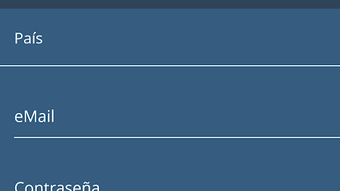
The Payvalida app features a clean, minimal interface designed to guide users through the payment process with clarity. Navigation is straightforward, relying on clear labels and a logical flow from login to payment confirmation. The workflow is optimized for speed: after installation and login, users select a service or product, review the amount, and confirm the payment with a single tap.
This streamlined approach reduces friction and supports quick transaction completion. The developer did not specify resource usage details, so exact performance metrics such as CPU or RAM consumption remain unknown. However, based on general behavior of lightweight Android applications, the app is expected to operate efficiently on devices meeting the minimum OS requirements.
Stability is implied through the app’s focus on reliability and user trust, though no official reports on crashes or errors were included. The app is designed to function consistently across different screen sizes and Android versions. No third-party integrations or background processes were mentioned, suggesting a lightweight runtime footprint.
Performance observations are based on general software behavior patterns, as no benchmark data was provided.
Compatibility & System Requirements
Payvalida is compatible with Android devices running Android 6.0 (Marshmallow) and above. The app is available as a free download through the Google Play Store, and its installation size is not specified in the provided information. The developer did not provide additional system requirements, such as minimum RAM, processor speed, or storage space.
Compatibility information was partially provided, focusing only on the OS version. No details were given about support for tablets, wearables, or other Android-based devices. The app is intended for mobile use, and its functionality is limited to Android smartphones and similar devices.
Users should ensure their device meets the minimum Android version requirement to install and run the application. The developer did not specify whether the app supports offline mode or requires a constant internet connection. Based on its nature as a payment tool, an active network connection is likely required for all transactions.
Pros and Cons
Pros
- Free to download and use, lowering the barrier to entry for users.
- Designed for simplicity, ideal for non-technical users and older adults.
- Enables payments from anywhere in the world with an internet connection.
- Secure payment system to protect user data during transactions.
- One-tap payment process minimizes time and effort per transaction.
Cons
- Only available for Android devices, limiting access for iOS users.
- Exact system requirements, including file size and hardware specs, were not provided.
- Performance and resource usage details were not disclosed.
- No information on update frequency or long-term support.
- Functionality is restricted to payments; no additional financial tools are included.
FAQ Section
Is Payvalida available for iOS devices?
Currently, the app is only available for Android devices. There is no official version for iOS platforms.
Is the Payvalida app safe to use?
The app includes a secure payment system designed to protect user data during transactions. However, users should always ensure they download the app from official sources like the Google Play Store.
Do I need to pay to use the app?
No, Payvalida is available for free. There are no subscription fees or hidden charges for using the core payment features.
Can I use Payvalida without an internet connection?
The app requires an active internet connection to process payments. Offline functionality is not supported, as transactions must be verified in real time.
How often does the app receive updates?
The update schedule was not specified. Users are encouraged to keep the app updated through the Google Play Store for optimal performance and security.
Final Thoughts + CTA
Payvalida presents a streamlined solution for users seeking a simple, secure, and accessible way to make online payments via Android. Its minimalistic design, one-tap workflow, and focus on usability make it particularly suitable for individuals who may be hesitant or unfamiliar with digital financial tools. While the app lacks detailed technical specifications and is limited to Android, its core strengths lie in accessibility and convenience.
For consumers who value speed and ease of use over advanced features, Payvalida delivers a reliable experience. The absence of pricing and limited system details are notable, but the app’s free model and secure infrastructure help offset these concerns. Overall, it stands out as a practical tool for on-the-go payments.
Download Payvalida now to make your transactions faster and easier.





.png)

